
Intro
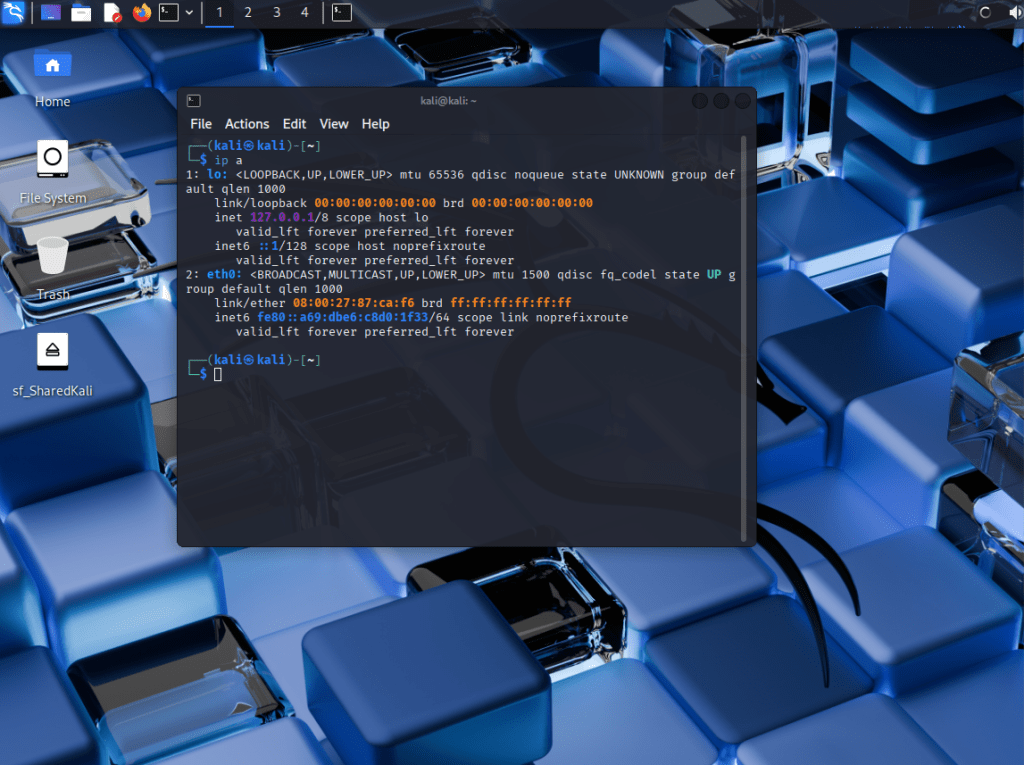
I built this virtual lab to simulate internal network reconnaissance. This hands-on exercise used Kali Linux, Nmap, and a host-only VirtualBox environment to discover open ports, services, and OS fingerprints on a target Windows VM.
Lab Setup
| Machine | IP Address | Role |
| Kali Linux VM | 192.168.56.102 | Attacker |
| Windows VM | 192.168.56.101 | Target Host |
- VirtualBox: Host-only network (isolated)
- Kali Tools Used: Nmap, nano
- Recon Folder: ~/labs/recon01
Nmap Recon Command
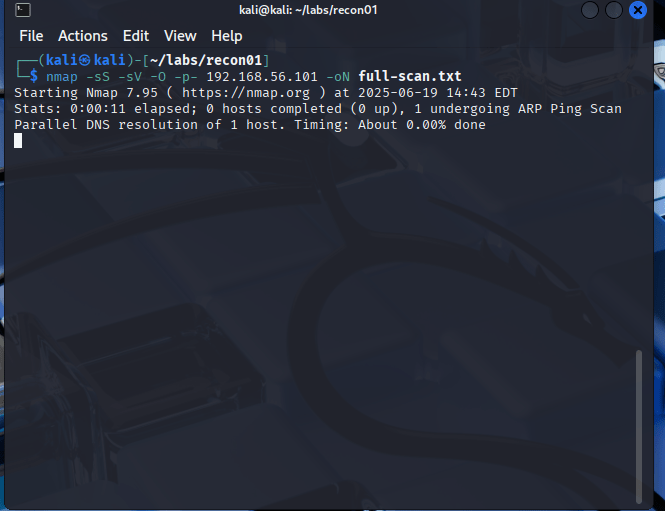
Ran a full TCP port scan with service and OS detection:
nmap -sS -sV -O -p- 192.168.56.101 -oN full-scan.txt
- -sS: Stealth SYN scan – sends a TCP SYN and analyzes the response without competing the handshake. Common for port scanning
- -sV: Detect service versions – Nmap probes open ports to guess the version of running services.
- -O: Try to fingerprint OS – Uses TCP/IP stack to fingerprint the target OS (Windows Server 2022)
- -p-: Scans all 65,535 TCP ports
- -oN full-scan.txt: Saves the output in a readable format to a filled called full-scan.txt
Key Results
| Port | State | Service | Notes |
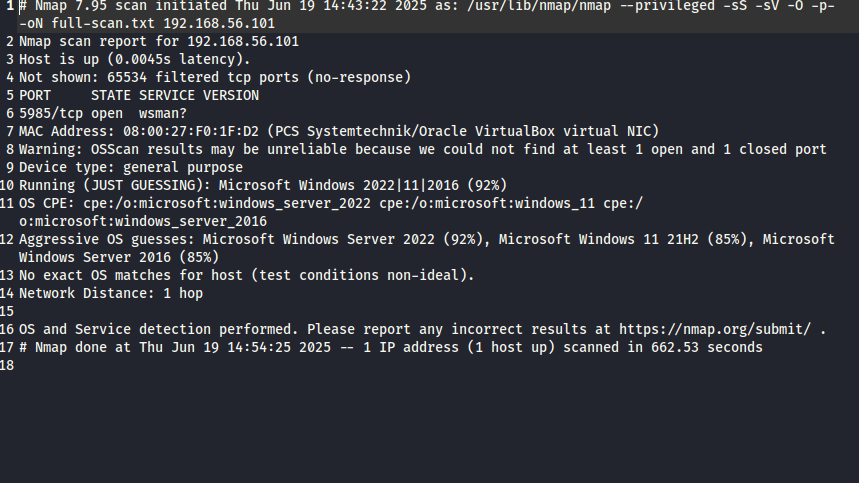
| 5985 | open | wsman | Windows Remote Management (WinRM) |
- Host responded with latency -> same subnet
- 65,534 filtered ports (Likely firewall)
- VirtualBox NIC detected
- OS guessed: Windows Server 2022 / 2016 (92% accuracy)
Lateral Movement Analysis
- WinRM port (5985) open could allow remote Powershell or command execution with valid credentials.
- All other ports filtered -> potential host-based firewall or hardened config.
- No SMB, RDP, or FTP observed.
Report & Documentation
All findings documented in:
- report.md: Markdown Report
- full-scan.txt: Full Nmap output
These files are available on my Github:
Why This matters
This lab wasn’t just about scanning, it was about thinking like an anlyst:
- Asking, “What could an attacker see inside this network?”
- Turning output into defensible report

 Shaun Carrillo's Cybersecurity Portfolio
Leave a comment